












































How Roles and Profiles in Zoho CRM Influence Security and Day-to-Day Work
As organizations continue to grow, access to CRMs gradually emerges as a business risk. With more users logging in and the system flooded with data, privacy issues are bound to emerge. Business owners and managers are often concerned over who sees their revenue numbers, or who is entitled to edit their customer records.
This is where Roles and Profiles in Zoho CRM prove beneficial. They determine how safe your data is and how smoothly your teams can work. Let’s look at how they simplify your work and reduce risks.
Profiles Set Clear Boundaries Around Actions
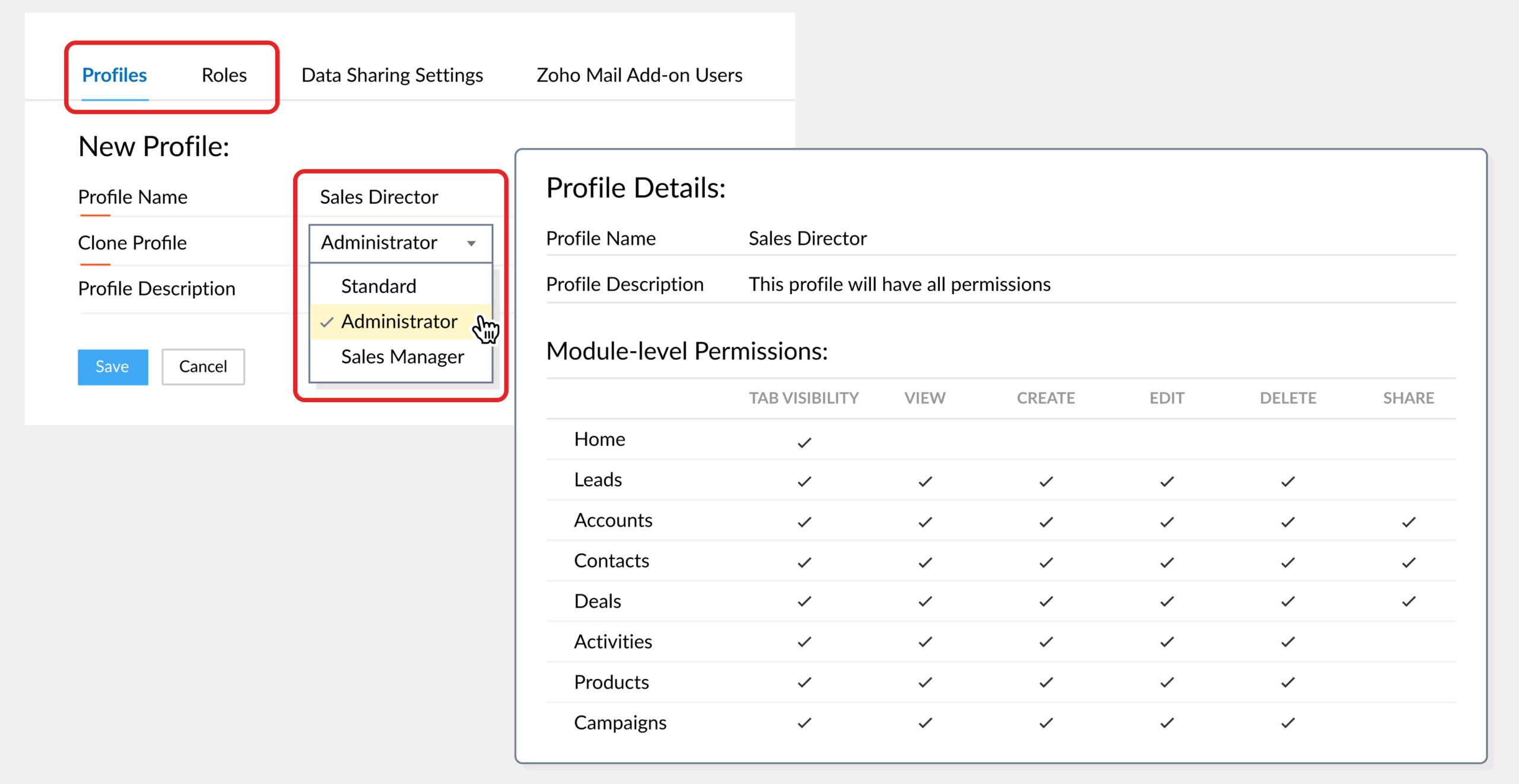
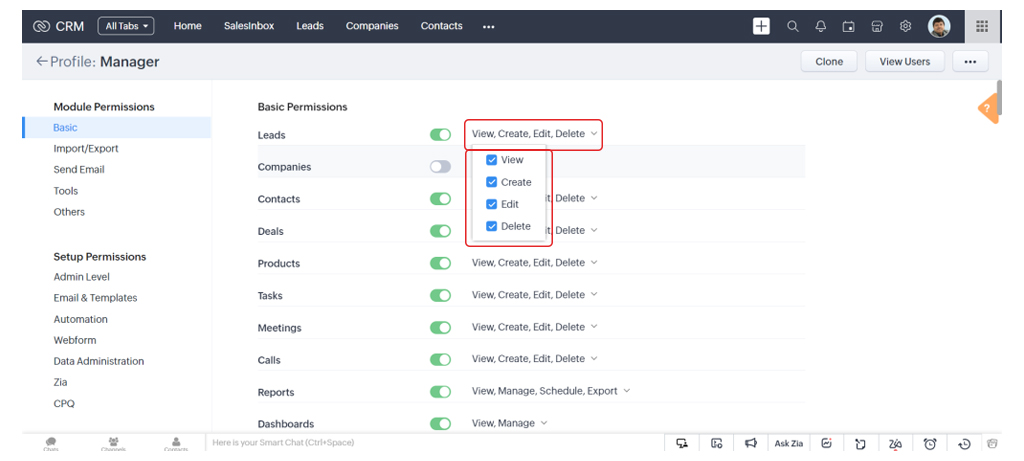
Profiles in Zoho CRM define what a user is allowed to do inside the system. They control access at a functional level. This includes:
- Which modules appear on the screen
- Whether records can be edited or deleted
- Whether tools like reports, automation, imports, or exports are available
Profiles are more about discipline. Sales teams do not need access to finance data. Finance teams do not need access to lead conversations. When everyone has access to everything, mistakes become inevitable.
Well-designed profiles keep the CRM focused. Users log in and see only what helps them do their job. This goes a long way in reducing errors and shortening the time required to onboard. It also increases adoption because the system feels simpler.
Roles Manage Visibility Without Micromanagement
Roles answer a different question. They decide whose data a user can see and follow reporting structures. This means:
- Individual contributors see their own records
- Managers see the activities of their teams
- The leadership sees consolidated data without digging through individual entries
This structure matters because it creates accountability without manual oversight.
Why Roles and Profiles Work Best Together
Problems usually arise when one is configured without the other. Profiles without roles lead to overexposed data. Roles without well-defined profiles create users who can see the right data but use it in the wrong way.
Together, Roles and Profiles in Zoho CRM create layered control. Users get the permissions required to do their work but only see the data relevant to their position. This improves security without slowing teams down.
Two sales executives may have identical permissions yet work in different markets. Profiles keep their actions consistent. Roles keep their data separate. Managers retain visibility without interfering in daily execution.
Security That Fits Real Business Conditions
CRM systems often contain sensitive data like revenue figures, contracts, client details, and legal documents. Roles and profiles prevent internal exposure through their design. Therefore, managers can restrict the following at the profile level:
- Export rights
- Permissions to delete
- Access to automation
This dual structure reduces the risk of accidental data loss and supports audit and compliance requirements.
Why Choose Xponential Digital?
Roles and Profiles in Zoho CRM define the security and operational ease of your CRM. When they are aligned with real workflows, they reduce risk and improve adoption while strengthening growth.
Xponential Digital helps businesses design these structures with a practical understanding of their operations. Their experts prioritize clarity, control, and long-term scalability. With Xponential Digital’s professional approach, you can rest assured that your CRM strengthens your teams instead of slowing them down.







 Xponential Digital